Recognizes you as its sole owner and responds only to your questions.
COMPETITION VERSION / 2026
ARVIOSYour all-in-one
digital business partner.
- A
- Assistant|助理
- R
- Recall|记忆
- V
- Vision|视觉
- I
- Intelligence|智能
- O
- Omni-device|多端协同
- S
- Steward|管家
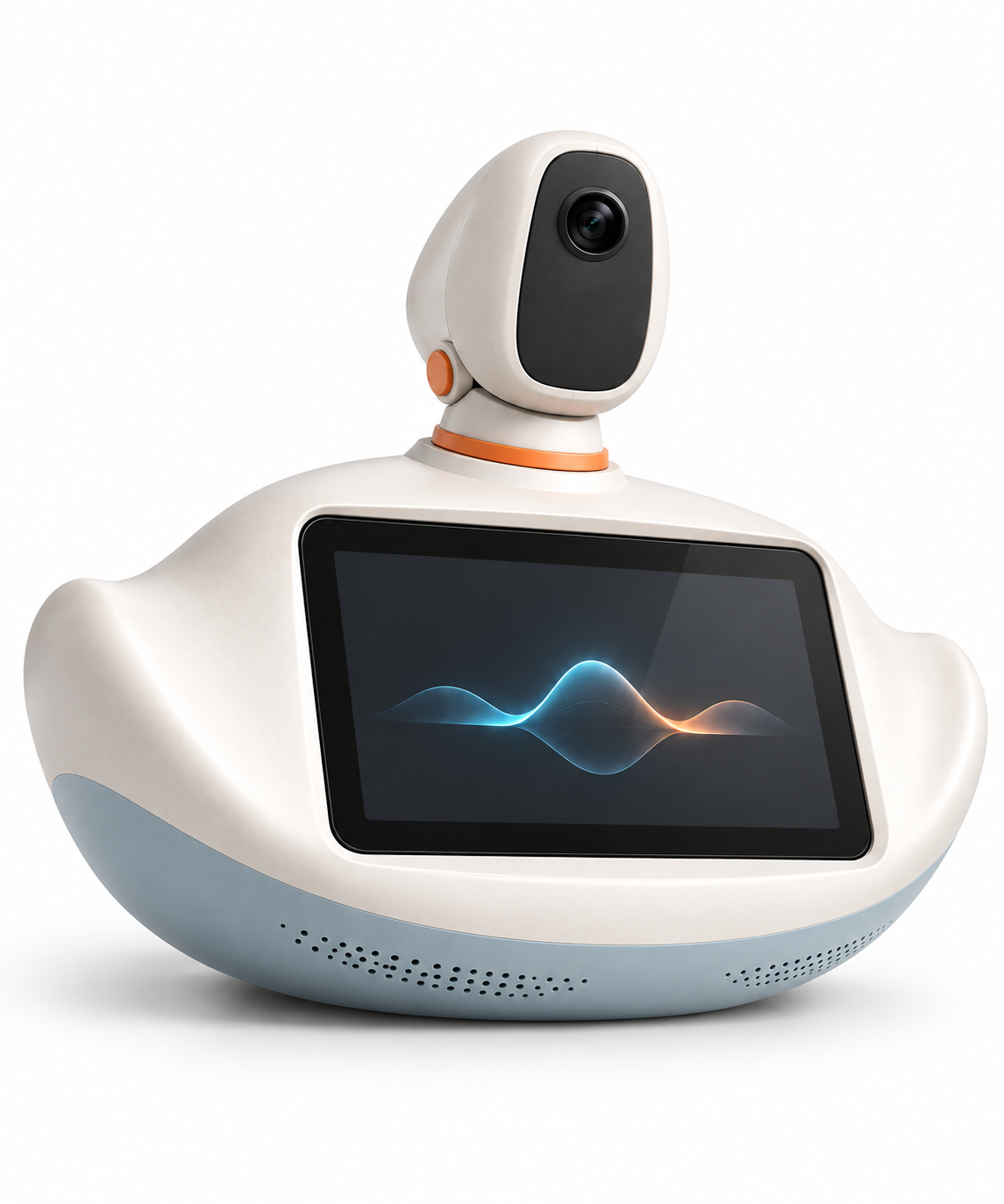

CollaborationSee, listen and think togetherDISCOVER ARVIOS↓
01 AI ASSISTANT
AI Assistant
Recognizes you. Remembers your plans. Gives you room to talk.
Scroll to explore the everyday support
Timely reminders about sitting too long and staying up late, with attention to your sleep quality.
Upcoming appointments and trips stay in view, with reminders when it is time to prepare or leave.
Talk through what is on your mind and work toward a clearer next step.
02 AI COACH
AI Coach
Practice business conversations, clear thinking and spoken English.
Scroll through the training scenarios
Rehearse real conversations—from introducing a product to answering an investor’s questions.
Organize your point, your evidence and what matters most, so people can follow your thinking.
Practice fundraising and business conversations in English, including the follow-up questions.
Shape each session around your goals. Follow your daily progress and keep a regular practice.
03 AI EXECUTIVE
From an idea to the next move
Bring scattered projects, ideas and lessons into one execution loop. ARVIOS helps you see the whole picture, define the next action and pause when your judgement is needed.
PROJECT OVERVIEW
Open current demo
Every project, in one clear view
Launch preparationIn motionCurrent action: assemble acceptance evidence
User researchNeeds judgementNext: confirm interview scope
Product prototypePlan readyNext: begin interface implementation
GoalPlanActEvidenceDecide
All names and states are public examples for illustrating the capability. They are not live backend progress.
IDEA VALIDATION
Open current demo
See an idea. Put it to the test.
VALIDATION QUESTION
What problem does this idea solve, and what evidence is enough to invest further?
ARVIOS presents a validation path. You make the final call.
GLOBAL MEMORY
Open current demo
Carry one lesson across every project
Experience indexSuggested only when the context matches
“A past failure becomes a checkable condition for the next decision.”
This demonstration shows how information can be reused. It contains no private project data.
04 OMNI-DEVICE
One context.
Every screen.
One ARVIOS carries context across the screens around you. Each device does what it does best, while information returns to one continuous collaboration flow.
This view describes compatibility direction and interaction design. It does not claim that every device is in production or live.Five inputsBring moments from the world, personal devices and larger screens into one context
PhoneVoice · images · ideas
WatchReminders · quick feedback
MacDocuments · project actions
TVShared view · feedback
TeslaCompatibility direction · trip context
ARVIOSUnified context
Return path: phone, watch, Mac, TV and the Tesla compatibility direction → ARVIOS
Four destinationsAdapt the same context to the screen and moment in front of you
ARVIOSUnified context
PhoneActions and decisions
WatchShort reminders
MacFull workbench
TVShared briefings
Receive path: ARVIOS → phone, watch, Mac and TV
Keep the source, key decisions and next action when moving between devices, without reconstructing the whole story.
A watch gets concise reminders, a phone gets actions, a Mac gets the full workbench and a TV gets shared context.
Tesla is currently presented only as an information-return direction. Availability depends on future integration and verification.
06 — COMPETITION HARDWARE
From complete form to internal structure.
Scroll to reveal ARVIOS from complete form to internal structure. At the end, every visible component is labeled; select one to emphasize it.
ARVIOS · EXPLODED VIEW
Explosion sequence in preparation
Explosion sequence in preparationThe assembly will unfold here after the production media passes review.
Focus the visual and use the arrow keys, Page Up, Page Down, Home or End to control the sequence.